See All

8 Best AI Psychology Apps for Psychologists in 2026
A practical comparison of AI tools for report writing, session documentation, practice management, emotional support, and mood tracking. Updated August 2026
Author

Reviewed By
Share This
Artificial intelligence (AI) is changing how you manage your work as a psychologist. Instead of spending hours on time-consuming and repetitive tasks, you can now use intelligent apps that handle those activities for you.
Whether you need help writing reports or transcribing in-person sessions, the right AI tool makes your work easier. It allows you to focus on improving mental health care and growing your practice.
This article reviews the five best AI apps that psychologists can use to transform daily workflows. We'll also discuss the benefits of using AI and how to choose the right platform for your specific needs.
What’s in This Guide
1. Psynth for Diagnostic Report Writing
2. BastionGPT for Clinical Transcription and Assistance
3. Jane for Practice Management
4. Wysa for AI-Driven Emotional Support
6. Heidi Health for Ambient Session Transcription
7. Mentalyc for AI Progress Notes
8. Blueprint for Outcome Tracking and Notes
9. Why Use AI in Your Psychology Practice?
10. How to Choose the Right AI Psychology App
11. Frequently Asked Questions
1. Psynth for Diagnostic Report Writing
Psynth supports 425+ psychological assessments, with additional assessments available on request.
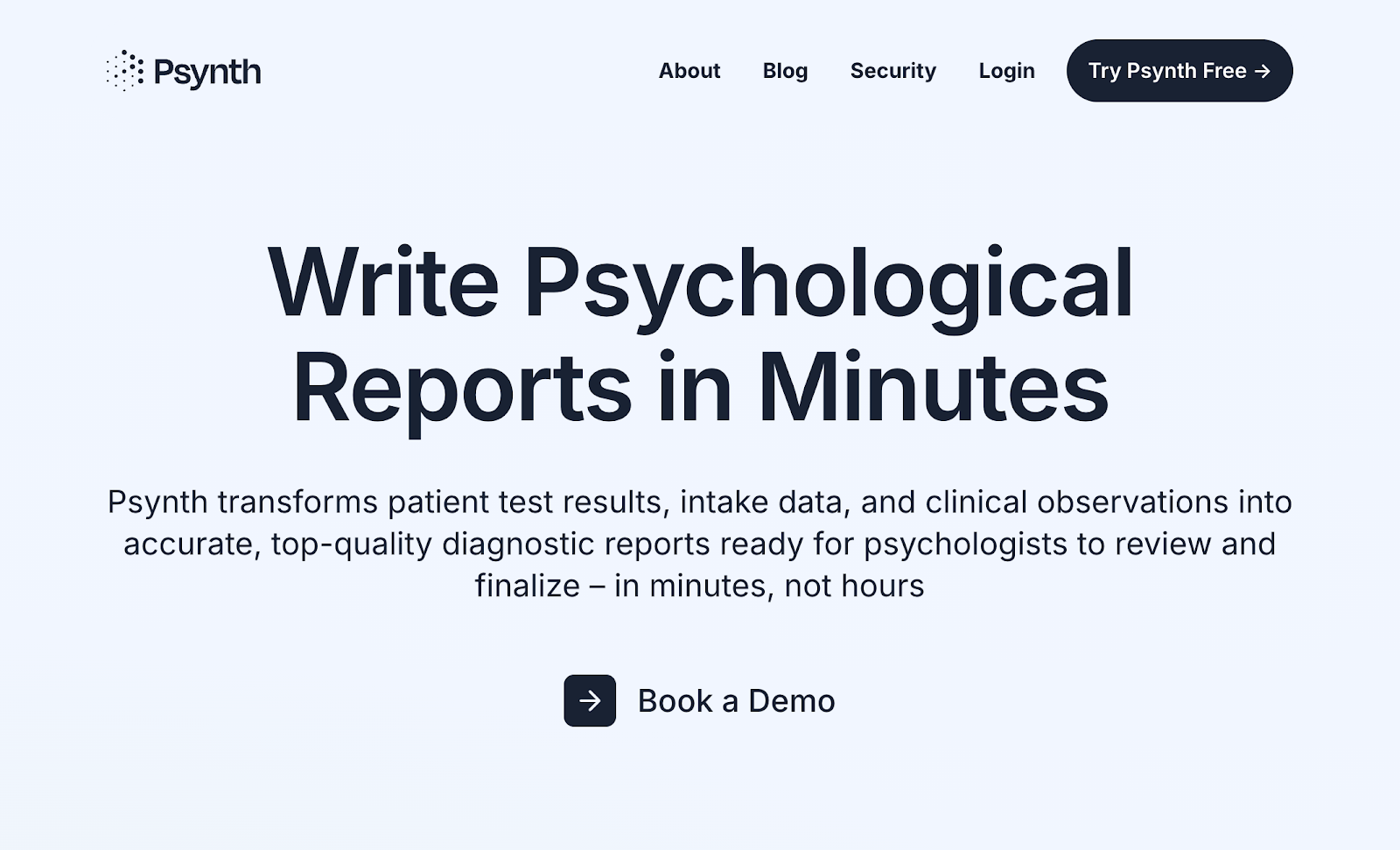
If you spend nights and weekends catching up on reports instead of focusing on your clients, you'll find Psynth life-changing.
Psynth is an AI-powered report-writing software that quickly turns psychometric data, session notes, and assessment results into clear, professional diagnostic reports. What used to take several hours of research and writing is done within minutes using Psynth.
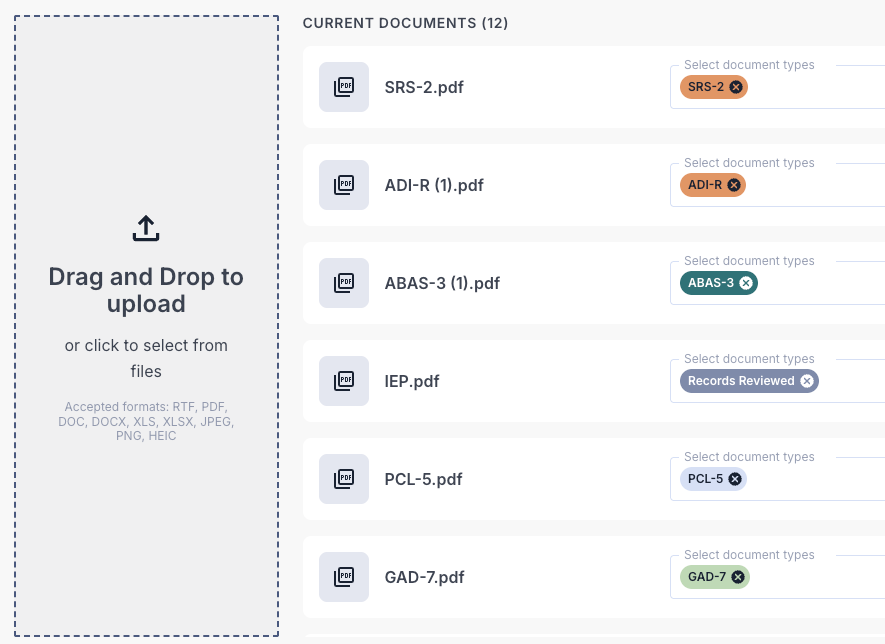
It's easy to get started with the platform. All you need to do is upload your clinical documentation as-is (PDFs, images, and even handwritten notes). Psynth automatically processes everything and builds a complete report that you can edit using AI-assisted prompts or manual input.
Each draft follows validated, up-to-date best practices in psychological reporting. It also takes input from expert psychologists and psychometrists to ensure top-quality diagnostic reports.
Automated quality checks identify missing or inconsistent data for your review. The AI also generates evidence-based insights and clear explanations to support your clinical decisions.
Psynth even supports over 370 assessments and one-click export to Word. This helps you finalize reports faster without worrying about formatting issues.
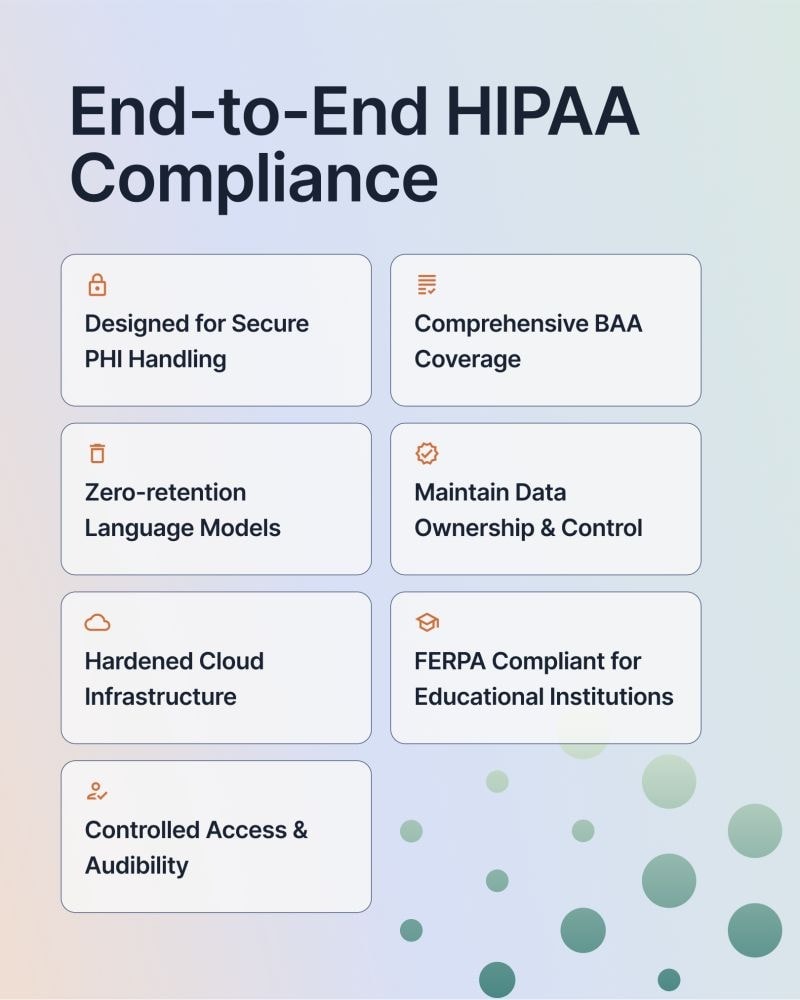
On top of these benefits, Psynth's AI-powered reporting tool takes privacy and security seriously. It offers end-to-end HIPAA compliance, zero-retention language models, strict role-based access controls, and encryption using hardened cloud infrastructure.
You retain 100% ownership and control over your data. No information is ever stored, repurposed, or used to train Psynth's large language models (LLMs).
Psynth maintains HIPAA-compliant Business Associate Agreements (BAA) with your organization to secure protected health information (PHI) and personally identifiable information (PII).
The platform isn’t for psychologists looking to replace clinical judgment or skip the assessment process. It’s simply designed to lighten your workload by transforming raw clinical data into high-quality drafts.
Try Psynth for free today to complete diagnostic reports in minutes, not hours!
Key Features
Psynth's AI psychology writing app offers several core features:
Seamless Data Intake
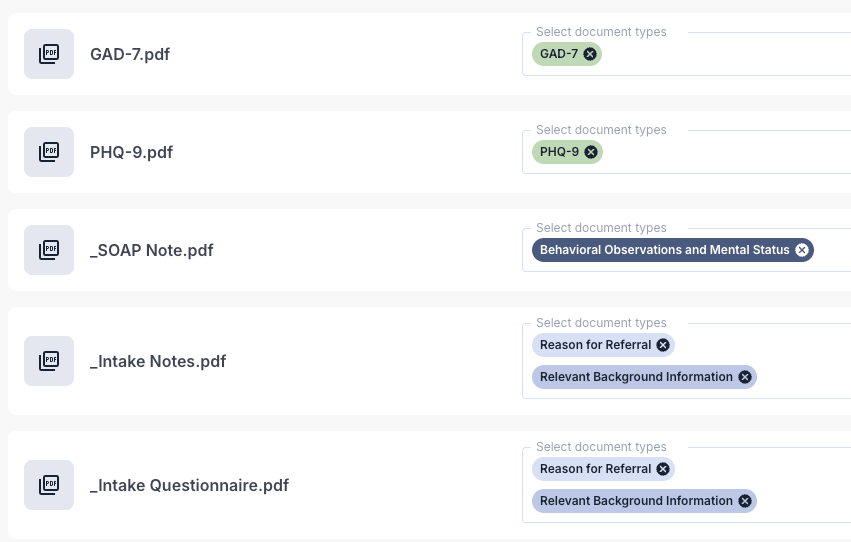
Psynth accepts test results, intake data, session notes, and any clinical documentation as-is.
You can quickly upload PDFs, images, and even handwritten notes without formatting files. This eliminates the need for multiple apps or manual data entry.
Clinicians at Psychology Specialists of Utah used to rely on several tools to compile test scores, interview summaries, and clinical observations. Psynth has streamlined their report writing process by turning fragmented systems into one intelligent workspace.
AI-Enabled Report Generation
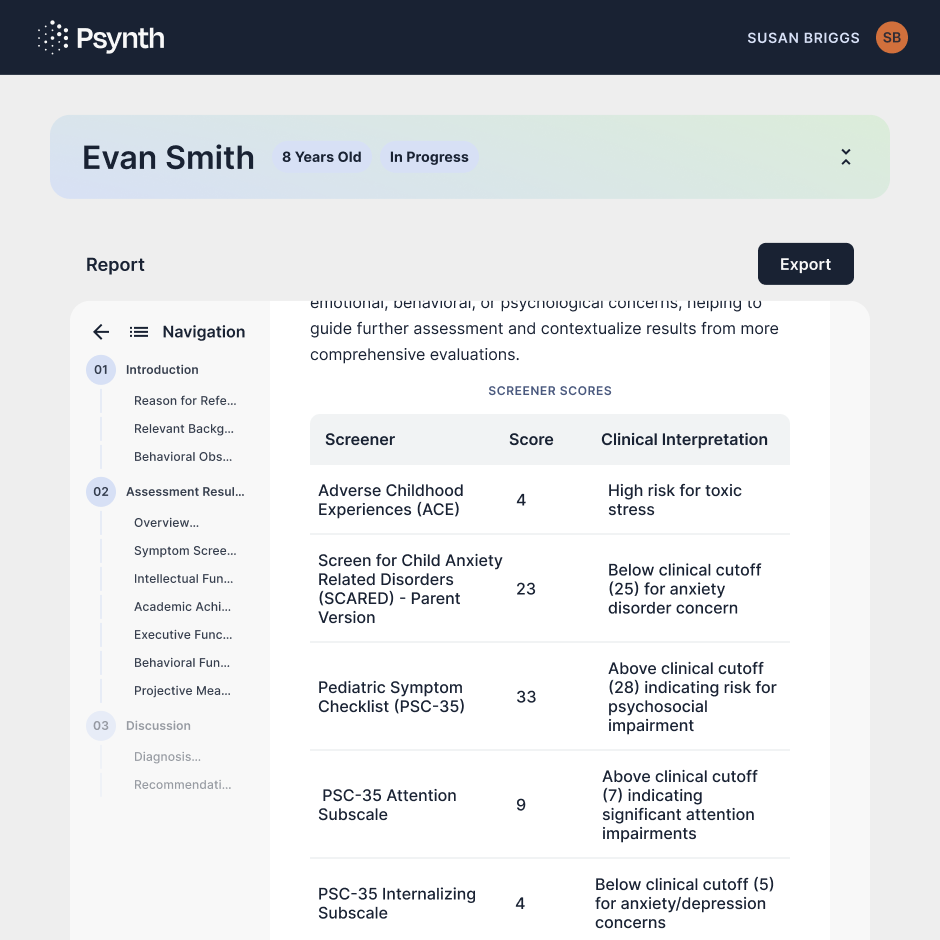
After processing your uploaded data, Psynth generates PhD-smart reports in less than 45 minutes. Its AI tool was built on hundreds of hours of observation and input from expert psychologists to provide accurate, high-quality results.
Automated quality control checks further enhance data accuracy by flagging missing or inconsistent details for your review.
Each report also includes clear descriptions and data visualizations to improve patient understanding before finalizing the report.
Pre-Built Assessments
Psynth supports more than 370 standardized assessments commonly used in psychological practice. These include WISC, BASC, Vineland, CPT, and WIAT, among others.
The platform continues to expand its library to include the tools you rely on most, from cognitive to behavioral measures.
Customization Options
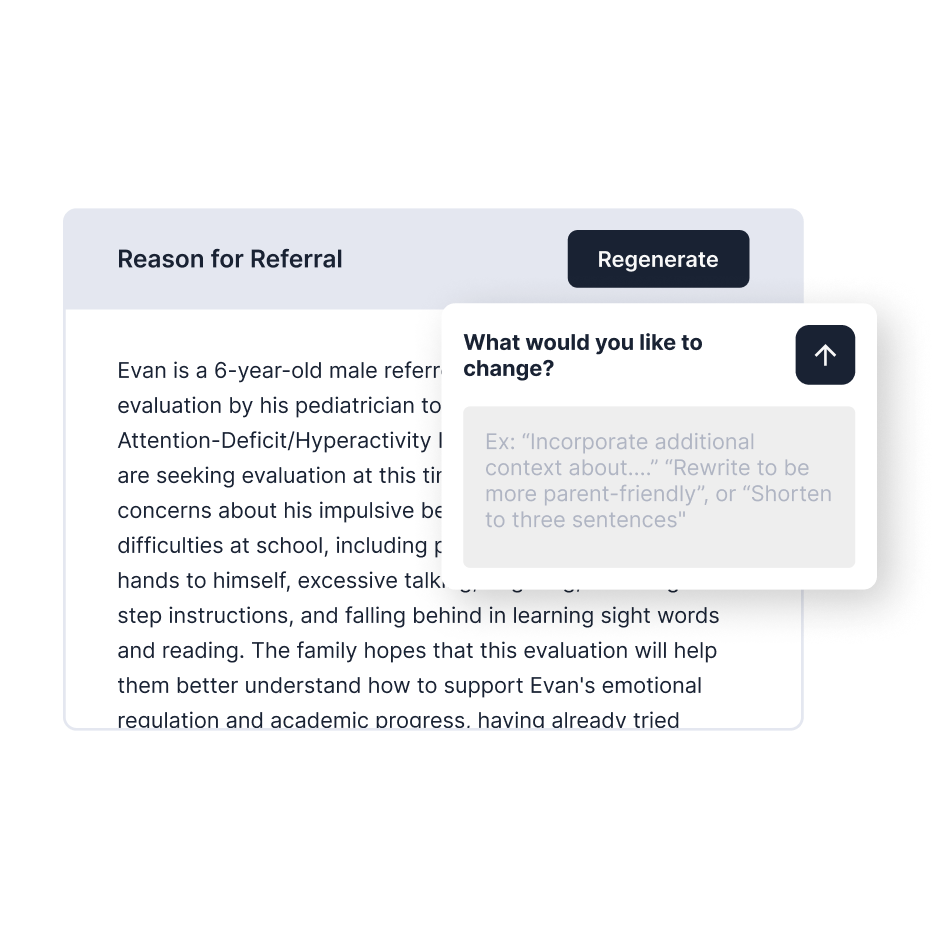
Edit every section of the report using AI-assisted prompts or manual input. You can customize tone, length, and detail to match your professional voice, preferences, and clinical standards.
Psynth also supports multiple report profiles and layouts for different use cases, like English vs. Spanish reports or ADHD vs. ASD evaluations.
Intelligent Diagnosis
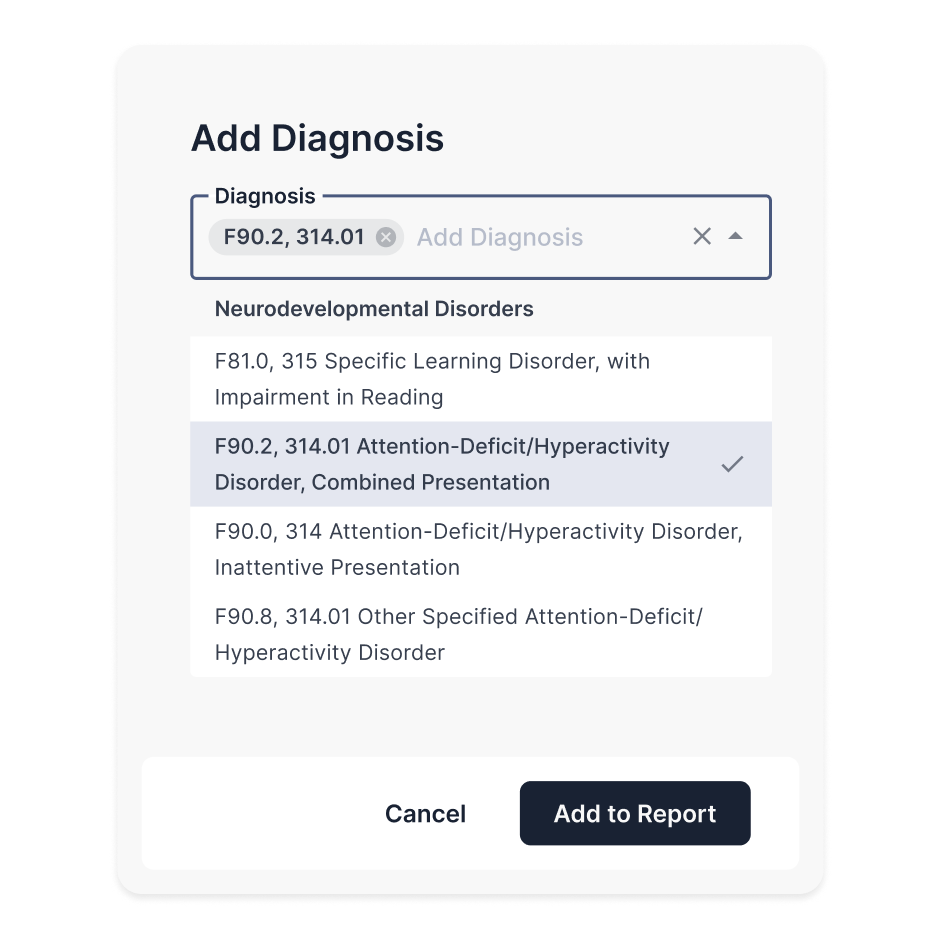
Psynth offers evidence-based insights and clear explanations to support your diagnostic reasoning. These help you confirm or refine your conclusions.
One-Click Export
After reviewing, you can export the report to Word format (.docx) with one click. This makes it easy to store, share, or print finalized documents without formatting issues.
End-to-End HIPAA Compliance
Psynth’s Ambient Listening and AI Note Taker
Psynth also offers Ambient Listening, an AI scribe released in August 2026. It captures clinical conversations and turns them into structured session notes, helping psychologists stay present instead of typing throughout the appointment. Clinicians can add context, correct speaker names and roles, and regenerate notes using a different template or plain-language instruction.
The AI note taker complements Psynth’s diagnostic report-writing workspace. It supports session documentation, while Psynth’s report tools bring assessment data, observations, and other clinical records together in a polished evaluation.
These platforms represent several of the broader clinical tools psychologists use, from documentation and report writing to practice management and client support.
Psynth is fully HIPAA compliant and built for secure data handling. It runs on AWS services that are continuously monitored and updated in line with best practices in security.
The platform also uses zero-retention models, meaning your data is never stored or reused. Read this privacy policy to learn how your information is handled.
Psynth even offers comprehensive BAA coverage, which guarantees the secure processing, storage, and transmission of both PII and PHI.
Start creating diagnostic reports with Psynth for free today!
2. BastionGPT for Clinical Transcription and Assistance
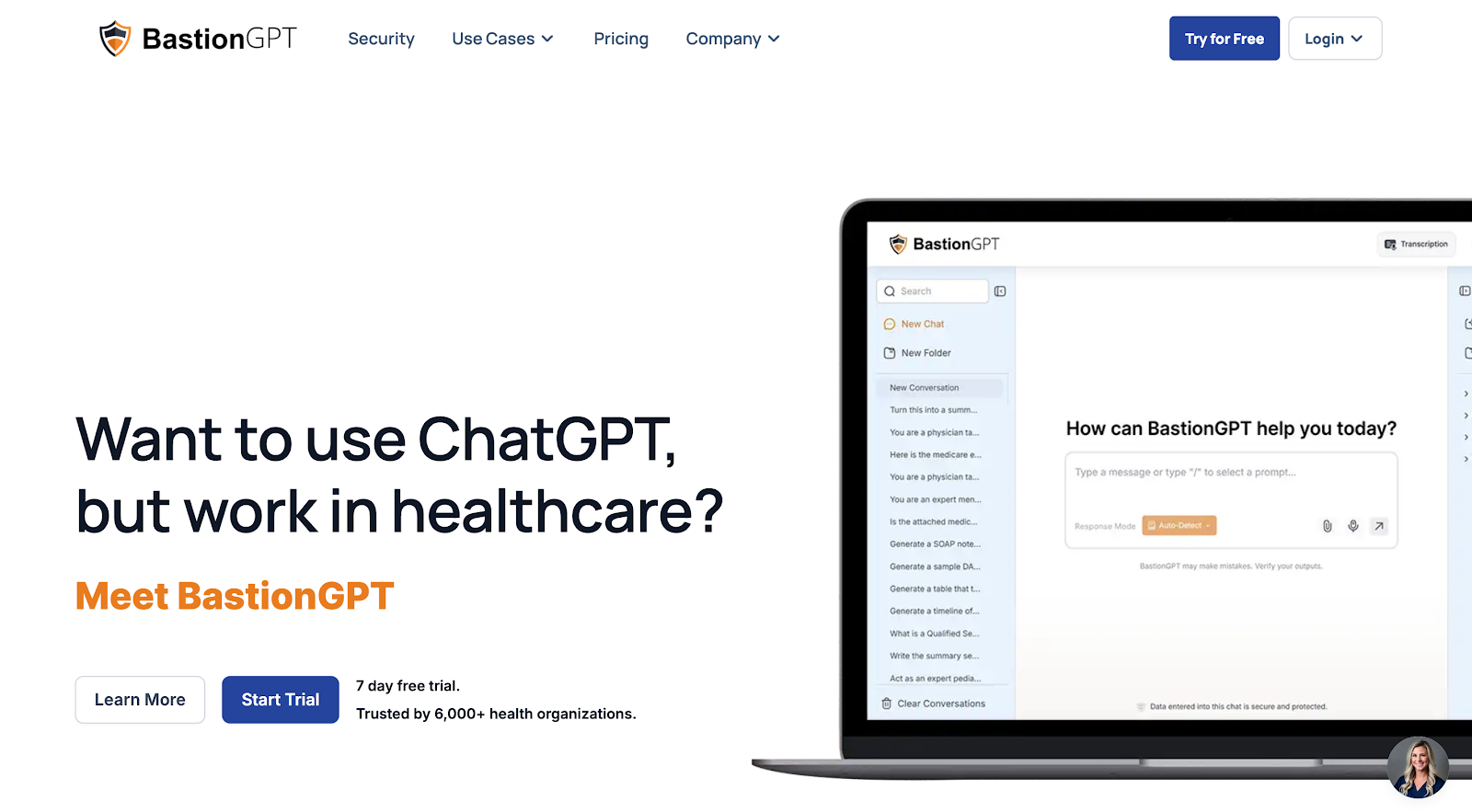
Do you want the power of ChatGPT in your daily work but worry about data privacy? BastionGPT is a great alternative to consider. It offers a HIPAA-compliant AI assistant built for psychologists and other mental healthcare professionals.
BastionGPT lets you upload recordings of sessions and turns them into draft notes, summaries, and reports. It can recognize multiple speakers, analyze key details, and generate content that fits your writing style.
Alternatively, you can paste or upload long documents and ask BastionGPT to summarize, rewrite sections, or check for vague language and errors.
You also avoid pseudoscience and non-scientific recommendations commonly seen in general AI chatbots. BastionGPT uses reputable healthcare resources to ensure scientific accuracy.
The platform never shares chat history with OpenAI or third parties. It complies with HIPAA and 42 CFR Part 2 standards for handling sensitive health information. Plus, all plans of BastionGPT include a signed BAA.
Key Features
- Records sessions up to four hours, identifies as many as 10 speakers, and labels each speaker automatically.
- Routes different tasks across GPT-5.5, Claude, and Gemini 3 Pro based on the job.
- Provides a familiar, ChatGPT-style conversational interface.
- Connects with more than 50 EHR and EMR systems.
- Offers three pricing tiers, beginning around $20 per user per month, with higher tiers for larger workflows and enterprise support.
BastionGPT centers its experience on a conversational interface for transcription and clinical assistance. Psynth is built as a complete report-writing workspace: its full-featured editor combines formatting controls, tables, signatures, and LLM-powered quick actions, letting clinicians revise reports in place and export documents that look the way they do on screen.
3. Jane for Practice Management
Jane launched its AI Scribe in August 2025, with nearly 8,500 practitioners adopting it within the first several months. In July 2026, Jane expanded the feature to private healthcare practitioners in the UK, building on its established availability in the United States and Canada.

Jane helps you manage your psychology practice online. It handles bookings, charting, billing, telehealth, documentation, and even transcription in one app. This benefits psychologists who want to streamline admin tasks so they can focus on providing mental health support.
With Jane, clients can book an appointment in just a few clicks. Automatic calendar syncing ensures that patients only see the practitioner's real-time availability to avoid double bookings. Meanwhile, automated reminders keep your patients’ appointments top of mind to reduce no-shows.
Jane also lets you manage your staff members' shifts from a user-friendly dashboard. Create weekly shift schedules for multiple practitioners, know if an appointment is online or in person, and switch between location schedules with a single click.
You even get paid faster, thanks to Jane's integrated payment solution. Collect deposits before an appointment, set regular payment schedules, or send your client a customizable request to pay their outstanding balance.
Need to meet with your patients online? Jane's telehealth platform helps you host 1:1 or group therapy sessions that feel as connected as they would be in traditional therapy. You retain control over the client's camera and microphone participation with the option to chat or share the screen if needed.
Key Features
- Online booking: Let clients book, cancel, and reschedule appointments through a secure online portal.
- Staff scheduling: Manage multiple clinicians’ calendars, downtime, and shift schedules in one dashboard.
- Payment processing and insurance management: Accept payments, send invoices, and handle insurance claims inside the Jane app.
- Telehealth solution: Host secure 1:1 or group sessions within the platform. You can also communicate using the in-call chat or screen share.
- AI scribe: Record or dictate sessions and use Jane’s AI tools to generate draft notes for faster clinical documentation.
4. Wysa for AI-Driven Emotional Support
Wysa now offers psychiatric practices a fully managed, hybrid AI-and-human service for Chronic Care Management, Remote Therapeutic Monitoring, and Remote Patient Monitoring—including care coordination and billing support. Wysa says practices can add these reimbursable services without hiring additional staff, while its clinically backed programs have reduced depression and anxiety symptoms by 31–40%.
If you need to provide emotional support between sessions and need a safe tool to keep patients engaged, Wysa is a strong partner.
For clients, Wysa offers an AI self-help chatbot that is built around evidence-based CBT (cognitive behavioral therapy) techniques, mood check-ins, and guided exercises. This helps patients practice skills, manage symptoms, and stay connected to mental health professionals outside their sessions.
On the other hand, Wysa Copilot lets psychologists assign specific tools, send secure messages, detect mental health crises, and review patient progress in one place.
Practitioners can see how clients are doing between visits and adjust care plans to match clinical goals.
Wysa even supports automated assessments, allowing care teams to focus on treatment while staying informed about risk and engagement throughout the client's mental health journey.
Key Features
- Self-help chatbot: This gives patients a safe space to self-reflect and use guided mental health tools.
- AI Copilot: Clinicians can assign tools, communicate with clients, and review patient risk and engagement data from a single dashboard.
- Interactive CBT tools: Provide structured exercises, mood check-ins, and guided practices based on CBT techniques.
- Built-in crisis escalation: Detect high-risk responses and direct patients to crisis lines for instant support.
- Automated assessments: These help monitor a patient's mental well-being and progress to ensure timely interventions.
5. eMoods for Mood Tracking

eMoods allows users to log mood, sleep, medications, and symptoms from their phones or desktop web browsers. It also reminds clients to fill out their daily chart or take medications to manage anxiety, bipolar disorders, or depression.
After collecting data, the app converts it into online charts and PDF reports that patients can share with psychologists before or during sessions.
Reports help clinicians identify emotional patterns, triggers, and treatment response over time instead of relying on the patient's memory. These are useful for progress tracking and professional therapy planning.
Key Features
- Mood and symptom diary: Patients can track mood, sleep, medications, and symptoms related to bipolar disorders, depression, PTSD, and anxiety disorders.
- Automated reminders: Send multiple email and SMS notifications so clients remember to record their emotional health every day.
- Email reports: Generate PDF reports that patients can email to psychologists or other mental health professionals before appointments.
- Configurable graphs: Learn how different symptoms relate to one another and how outside influences may trigger a client's mood.
- Weather integration: Connect mood data to local weather, which highlights possible environmental triggers and other symptoms.
6. Heidi Health: Ambient Session Scribe
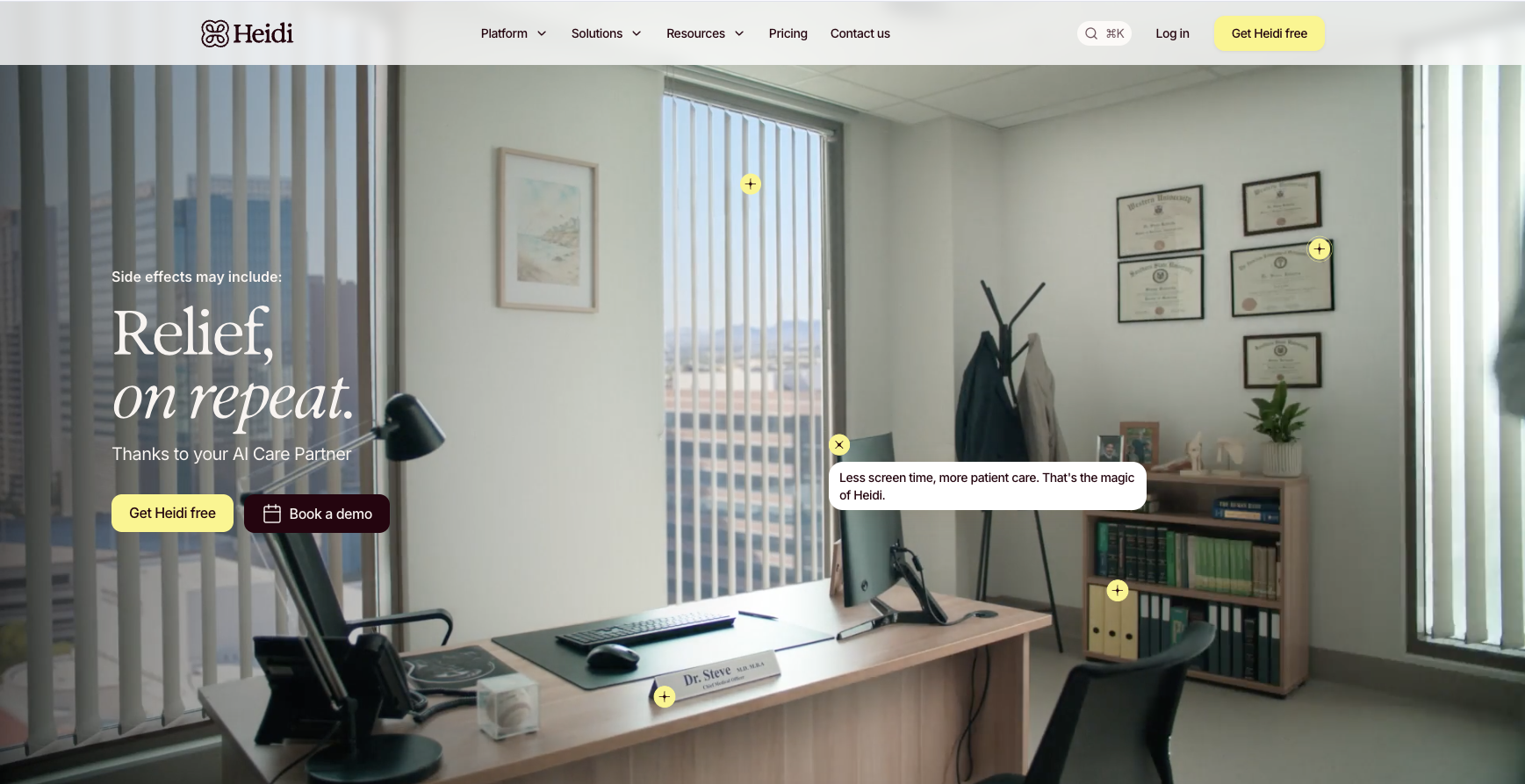
Heidi Health is an AI clinical documentation assistant that transcribes clinical conversations and helps clinicians create notes, dictate content, find cited clinical evidence, and support coding workflows. It suits practices looking for an ambient scribe for day-to-day documentation. Psynth also captures sessions through Ambient Listening, then extends the workflow into diagnostic reports built from assessment data, observations, and clinical records.
Key features:
• Live transcription and AI documentation
• Dictation
• Clinical evidence with citations
• Coding support
Pricing: Free plan available. The Clinician plan costs $110 per user per month when billed annually.
For a broader comparison, explore Psynth’s guide to software for psychologists.
7. Mentalyc: AI Progress Notes
Mentalyc is designed for therapists who want to capture sessions and create structured progress notes. Clinicians can record in-person or telehealth sessions, upload audio, dictate a recap, or type a summary. Mentalyc focuses on therapy documentation and treatment workflows, while Psynth carries assessment data, observations, and records through to a full diagnostic report.
Key features:
• SOAP, DAP, intake, narrative, and clinical notes
• Browser-based telehealth capture
• Session analytics and client summaries
• Treatment-planning and progress tools on higher plans
Pricing: Mini costs $19.99 monthly or $14.99 per month when billed annually.
8. Blueprint: Outcome Tracking and Notes
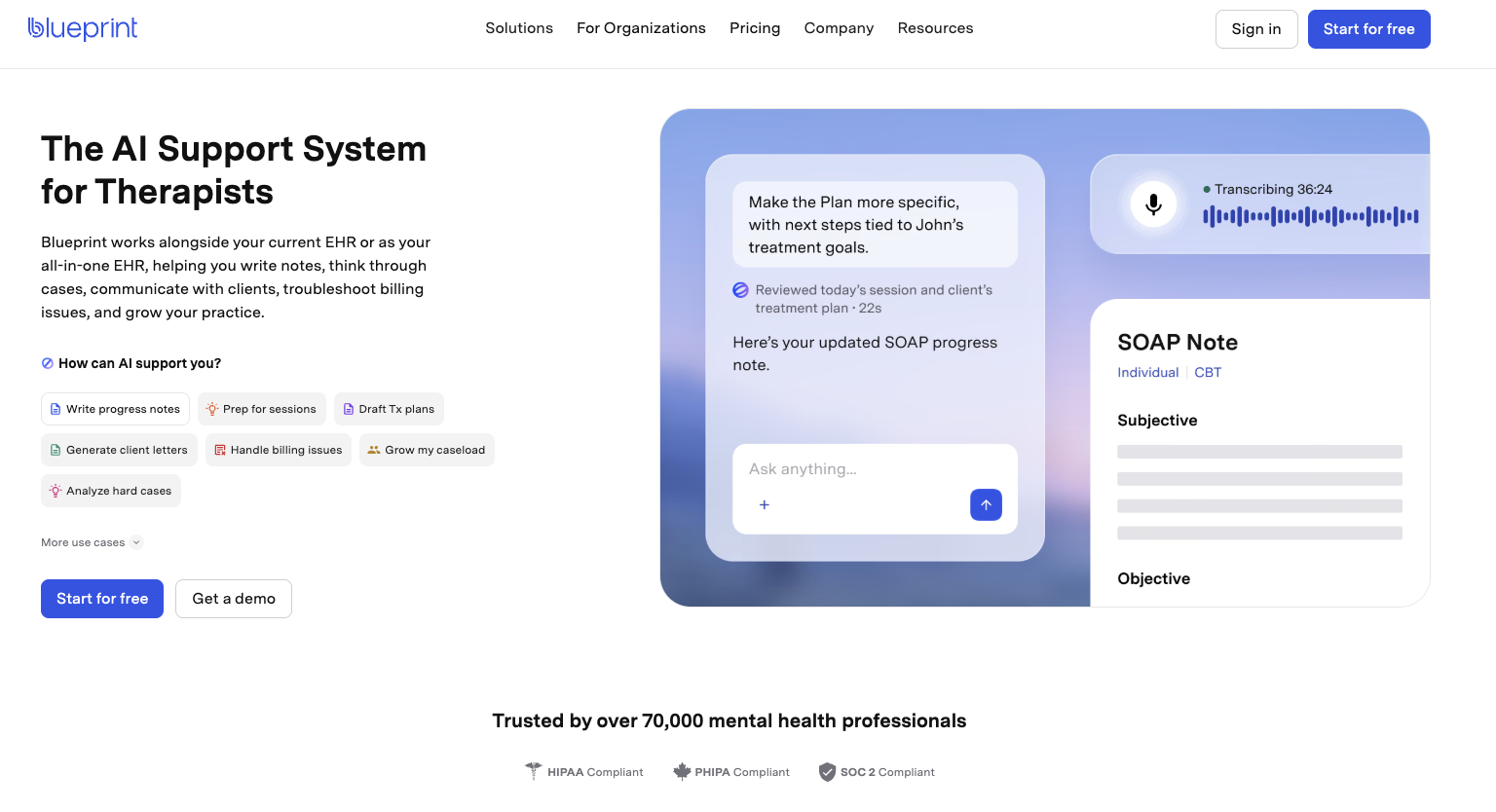
Blueprint combines a free EHR with optional AI support for documentation, treatment planning, and clinical workflows. It can generate progress notes from live sessions, dictation, or typed summaries and help clinicians prepare for sessions and review client progress. Psynth is distinguished by its dedicated diagnostic report-writing workspace.
Key features:
• AI-generated progress notes
• Treatment-plan creation
• Assessment and progress support
• EHR and practice-management workflows
Pricing: Core is free. Paid AI support starts at $0.99 per session.
Why Use Artificial Intelligence for Your Psychology Practice
Here are the benefits of using AI apps for your psychology business:
Reduce Administrative Burden and Save Time
At Green Country Psychology, Psynth helped Dr. James reduce the time required for a single report from six or seven hours to about one—an 85% reduction.
Many psychologists waste time writing reports, sending emails, and organizing their notes.
AI-powered digital platforms can handle these time-consuming tasks, allowing clinicians to focus on patient care.
These systems eliminate copy-paste tasks and reduce back-and-forth with staff members. They help psychologists reclaim valuable time for sessions, clinical analysis, or rest instead of repetitive admin.
Enhance Diagnostic Accuracy
AI tools can compare assessment scores, symptom checklists, and session history to surface patterns and inconsistencies for the psychologist to review.
These platforms use advanced technology to compare scores, histories, and risk factors. Then, they offer evidence-based findings for you to confirm or reject.
You still make the final call, but you now do it in a more organized and structured way.
Personalize Client Care
You want each patient to feel seen as an individual.
An AI psychology app can track mood, triggers, and session content over time and identify trends that you can act on.
It uses natural language processing to analyze data and group key topics, such as sleep, work stress, or family conflict. This helps you adjust goals, session focus, and homework so each client receives personalized support tailored to their mental health conditions.
Improve Decision-Making
Psynth brings assessment data, clinical observations, and notes into one report, surfacing patterns and evidence-based findings that support the psychologist’s judgment without replacing it.
Protect Privacy and Build Trust
Psychologists should treat privacy and trust as part of the clinical decision, not as a checkbox after purchase. Before using an AI tool with client information, ask where data is processed and stored, whether it is retained or used to train models, who can access it, and whether the vendor will sign a Business Associate Agreement when HIPAA applies. Look for clear answers about encryption, access controls, subprocessors, and deletion.
For a closer look at the safeguards to evaluate, see Psynth’s privacy and security guidance.
How to Choose the Right AI Psychology App
When evaluating different AI apps, you need to consider several factors to ensure the perfect fit. Here's how to choose the right platform for your psychology practice:
Identify Your Primary Clinical Challenges
Invest in an AI tool that solves your daily problems.
Do you spend too much time writing reports? Or maybe you always get buried in notes, or struggle with intake and patient follow-up.
Consider those pain points when comparing different AI psychology apps.
Prioritize Data Security and Compliance
Requirements vary by jurisdiction. Colorado’s enacted HB26-1195, effective August 12, 2026, requires regulated professionals to disclose in advance when AI will record or transcribe a client’s therapeutic session and why, and to obtain written, informed consent. Disclosure and consent are different steps, so check the laws, board rules, and recording requirements where you practic
Evaluate Ease of Use
Look for AI platforms with a user-friendly interface, clear menus, and simple workflows.
Ask for a free trial and try tasks like transcribing a session or generating a report. The app should be easy for you and your staff members to navigate.
Verify Platform Compatibility and Technical Support
Check if the AI tool works well with your current systems, such as browsers, devices, electronic health records (EHRs), and telehealth platforms you already use. Integrations reduce data silos and eliminate the need for back-and-forth.
In addition to integration, review the support options provided by the software vendor. You want to know who you can contact when the app faces slowdowns or bugs.
Choose vendors that offer email, chat, and live call support. You should also consider the self-help documentation provided so you can troubleshoot minor technical issues on your own.
Read App Reviews
For a starting point, compare reviews on G2 and Capterra, but read beyond the star rating. Check each review’s date, reviewer context, use case, and relevance to psychological practice.
Confirm the Vendor’s AI Model and Data Handling
“AI-powered” does not identify the model or explain what happens to client data. Ask which model providers and subprocessors receive data, how long prompts, recordings, outputs, logs, and backups are retained, whether data supports training or product improvement, whether a BAA is available when HIPAA applies, and how deletion is verified. Model providers and policies can change, so retain the answers with your vendor-review records.
For example, BastionGPT says it offers GPT-5.5, Claude Sonnet, and Gemini 3 Pro through one interface, but that alone does not answer the retention, training, BAA, or deletion questions.
Psynth's AI App Writes Psychological Reports in Minutes
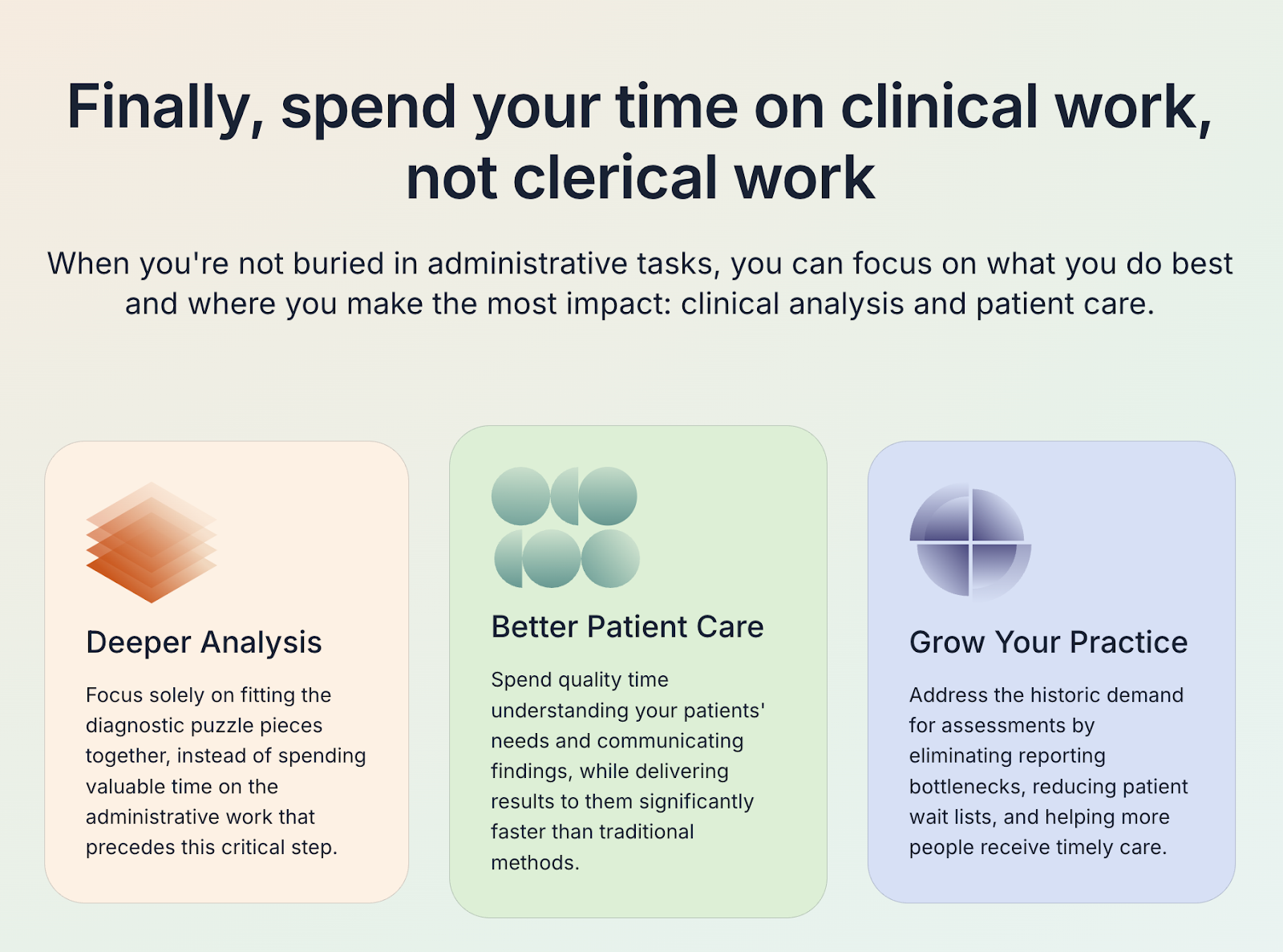
Psynth turns the diagnostic report completion average from 6 hours to less than 45 minutes. It uses AI to process raw clinical data and convert it into high-quality clinical drafts that are ready for your review.
You can edit any section using your own words or the AI-assisted prompts. Psynth automatically reflects changes and adjusts report formatting for quick revisions.
With diagnostic reports ready faster, you can offer support for more patients, shorten wait times, and reclaim your valuable time. You no longer waste your weeknights and weekends writing reports.
Since adopting Psynth, Dr. Morizio at Coast Psychology says, “I spend far less time on tedious tasks like formatting and score transcription, and more time on clinical synthesis.”
This shift in focus significantly reduced stress and procrastination while improving report quality.
Try Psynth for free today to complete reports in minutes, not hours!
Frequently Asked Questions
What's the difference between an AI scribe and an AI report-writing tool?
An AI scribe captures or transcribes a clinical conversation and turns it into session notes. An AI report-writing tool synthesizes assessment results, intake data, clinical observations, and other records into a structured psychological report. Psynth offers both: its Ambient Listening AI scribe, released in August 2026, turns clinical conversations into notes, while its report-writing tools support more complex evaluation and reporting.
Is it safe to use ChatGPT for therapy notes?
A standard consumer ChatGPT account should not be used for identifiable client information. Therapy notes can contain protected health information, so clinicians should use a service with appropriate privacy and security agreements, including a Business Associate Agreement where HIPAA applies. They should also confirm how data is stored, processed, and used before entering any client information.
Do clients need to consent before a psychologist uses AI note-taking tools?
Psychologists should inform clients when AI note-taking or ambient listening will be used and obtain consent before recording. They should explain what is captured, how the data is handled, and whether a non-AI alternative is available. Exact requirements vary by jurisdiction, so psychologists must also follow applicable recording laws, professional ethics rules, and organizational policies.
Has the APA issued guidance on AI use in psychology practice?
Yes. The APA has published guidance and policy resources on responsible AI use, emphasizing transparency, informed consent, privacy, bias, clinical oversight, and the preservation of professional judgment. Because requirements continue to evolve, psychologists should review the latest APA guidance alongside state law, licensing board requirements, and organizational policies.
Do insurance companies reimburse for AI-assisted documentation?
Insurers generally reimburse covered clinical services, not the AI documentation tool itself. Using AI to prepare notes or reports does not create a separately billable service. Reimbursement still depends on medical necessity, coverage, coding, and documentation requirements, which should be confirmed with each payer.
Can AI replace a psychologist's clinical judgment?
No. AI can organize information, draft language, and surface patterns, but it cannot take responsibility for diagnosis, risk assessment, treatment decisions, or final report conclusions. The psychologist must review and verify the output and remains accountable for every clinical decision.
See Psynth work in real time
We’ll demo an end-to-end report writing process and answer any questions along the way. (Yes, it’s so quick, we can get through it all during a single call.)